Methods Overview
Methods document the processes, frameworks, and operating models your team follows — structured approaches that can span multiple documents and be referenced across your work.
Overview
A Method is a named process or framework, such as "Agile Workflow" or "OKR Planning." Unlike skills, which are single, focused capabilities, a Method describes the overall approach and packages any skills and Routines that carry it out.
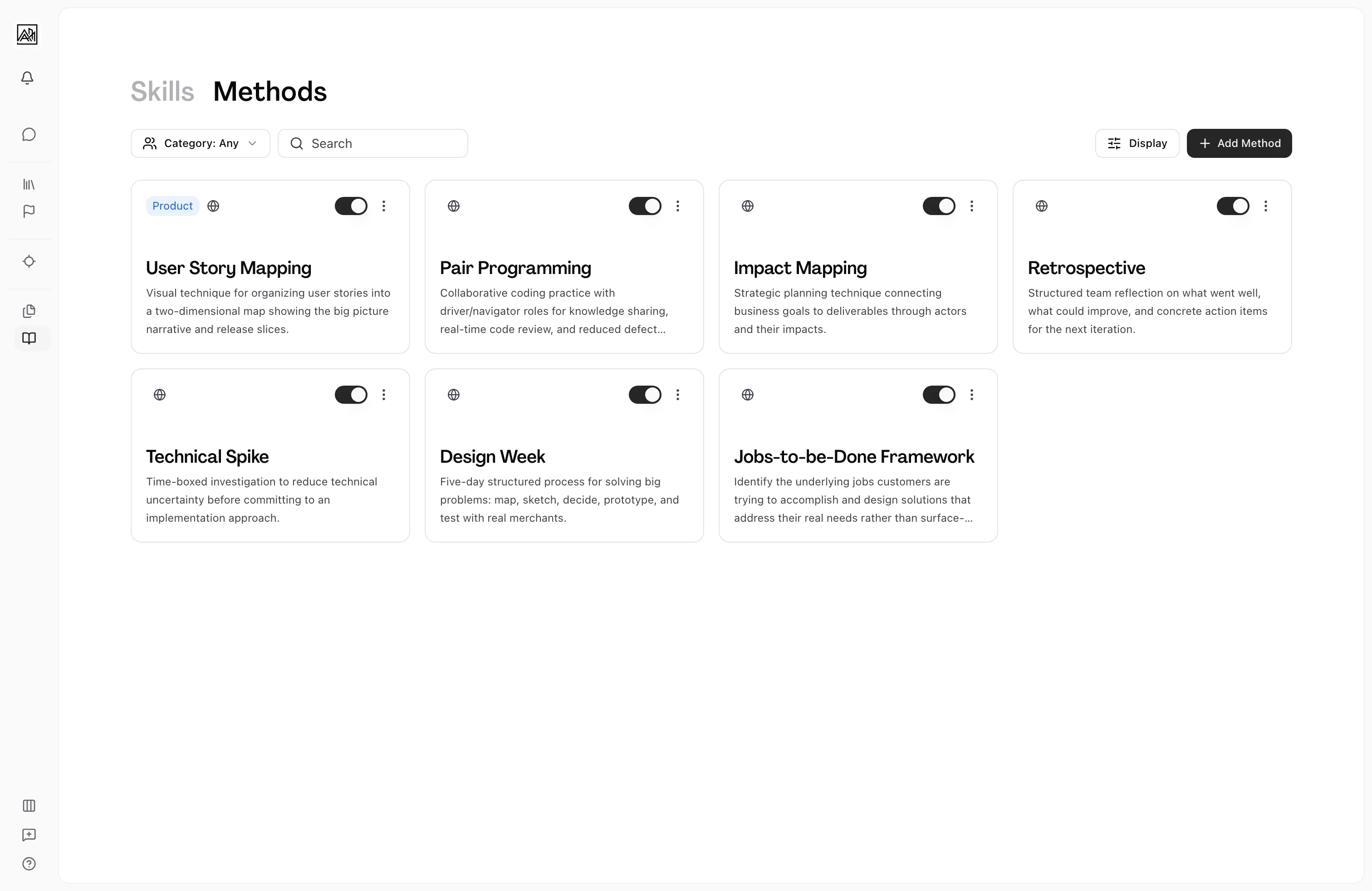

Methods are the closest thing in Hamster Studio to an internal wiki for how your team operates. When you document your hiring process, your sprint cadence, or your design review criteria as Methods, Hamster Studio can reference that context when helping you Plan and deliver work.
When a useful team practice emerges in Chat, ask Hamster to turn it into a reusable Skill, then ask for a Method around it. In a private chat Hamster creates each one right away. In a shared chat it posts a review card instead: open it, check the draft, and click Create. See Skills Overview for the full sequence. Hamster also ships a set of pre-built Methods through the Methods Library that any team can enable on day one — see "The Methods Library" below.
How It Works
-
Open your Methods — Select Methods in your workspace sidebar, which opens the Library, then select Methods in the header. You see all the Methods in your workspace, alongside library Methods, which carry a Library badge.
-
Add a Method — Click New method to open the creation dialog. You provide a title, an optional description, and an optional category.
-
Open a Method — Click any Method card to open it, and write in the Method tab with the rich text editor. The Method's chat docks beside it.
-
Activate or deactivate — Like skills, each Method card has a toggle switch. Inactive Methods are stored but not referenced by Hamster Studio. New Methods default to active.
-
Edit or remove — Right-click a card and choose Edit to change the title, description, or category, or Remove to delete the Method from your workspace.
Key Capabilities
-
Chat beside the document: When you open a Method, its chat docks beside the editor. Ask about the Method, request improvements, or think through changes before you make them.
-
Real-time collaboration: Multiple team members can view the same Method simultaneously. Participant avatars appear in the header and updates are reflected live.
-
Card and table views: The Methods list supports the same card and table display options as Skills, with identical sort, group, and filter controls.
-
Category labels: Methods use the same six categories as Skills — Product, Ops, Experience, Development, Marketing, and Workflows.
Method Contents
A Method is a package: besides its own document, it can bundle skills and Routines. Each Method card shows what's inside, for example 2 Skills and 3 Routines. An open Method's Contents tab lists them, and on your own Methods you can add and remove skills and Routines there, and reorder the Routines. The order is for display only, and each Routine keeps its own triggers and schedules. Library Routines can't be added to your own Methods; save a copy of a library Method to get editable copies of its Routines.
The Methods Library
The Methods Library is a curated set of pre-built Methods that ship with Hamster Studio. Select Library in the header to see what's available. Each library Method bundles skills and can bundle Routines, and its Contents tab lists them.
Toggle a library Method on to make it active for your workspace with its bundled Skills; its Routines keep their own switches. To customize one, right-click its card and choose Save as my copy for editable copies of the Method, its skills, and its Routines; see Enabling Versus Saving a Copy.
How Methods Differ from Skills
| Aspect | Skills | Methods |
|---|---|---|
| Structure | Single document | Method document that can bundle skills and Routines |
| AI chat | Available alongside the document | Available alongside the document |
| Typical use | A specific capability or Task type | A process, framework, or operating model |
A useful rule of thumb: if you are describing a single, discrete thing your team does, it is probably a skill. If you are describing a multi-step process that bundles several skills or Routines, it is probably a method.
Tips
- Use Methods for processes that span several capabilities. For example, a "Hiring Process" Method might bundle "Job Description Template," "Interview Rubric," and "Offer Letter Guidelines" skills.
- Keep Method titles short and recognizable. Team members will encounter these names in the AI chat context, so clarity matters more than completeness.
- Try the library before authoring from scratch. Enabling a library Method such as Hamster Direction or GStack gives a new team a coherent set of skills to work with on day one — save a copy later if and when you need to customize.